
Ask your cameras anything.
Lenscope turns the CCTV you already own into counts and yes/no checks, recorded over time.
- No new hardware
- Plain-English questions
- Automated alerts
- Works with most DVRs and IP cameras
AI camera analytics · Built by Techanzy
You ask
“Is anyone at their desk on the second floor?”
 Second floor · every 60 s
Lenscope answers · this month
- Staff present39% trueNo
- People countavg 0.40
- Floor lights3k runsOn
- Guard present15% trueNo
Internal pilot figures. Trend lines are illustrative.
What you get
Counts, checks and alerts from the cameras you already own.
Numbers
How many people are queuing? How full is the car park? Counted on every frame, typed as a number or percentage, and charted over time.
Checks
Is the gate closed? Is PPE worn? Is the floor clean? A yes or no for every camera, as often as every 30 seconds, stored with its frame.
Alerts
Queue over 5, a person after hours, a spill on the floor: an email the moment a rule is met. Everything is also available through a REST API.
Why now
Your cameras record everything. Nobody is watching.
Footage is passive
Video only gets reviewed after something has already gone wrong.
Watching doesn’t scale
A guard can follow a few screens. Sites run tens or hundreds of cameras.
Analytics are rigid
Traditional video analytics need smart cameras, edge boxes and a custom model for every question.
No numbers to act on
Video can’t be charted, trended or reported. Operations teams need data.
Lenscope changes one thing: the cameras you already have start answering questions, in plain English, on a schedule.
How it works
Five steps from camera to decision
Connect
Register a DVR or IP camera. Lenscope creates isolated upload credentials for it.
Isolated account per device
Ingest
The DVR pushes snapshots and clips using its built-in FTP/SFTP upload. No agent, no new hardware.
Standard FTP/SFTP, no agent
Ask
Describe what each camera sees and attach your questions as typed variables.
Typed questions, per-camera context
Analyse
Vision AI reads each new frame and answers every variable. Unchanged scenes are skipped.
Skips unchanged scenes
Act
Results flow into dashboards and trends. Threshold rules send email alerts.
Dashboards, email alerts, API
Works with what you have
No new cameras. No new hardware.
- Any DVR or IP camera with FTP/SFTP upload; Dahua guide built in
- One isolated SFTP account per device, created and removed automatically
- Camera channels are matched automatically
- Frames are optimised and purged on your retention period
Custom AI variables
Any question becomes a metric
Define a question once for the whole organisation, attach it to any camera, and add local context per camera, such as “only count people inside the loading bay”. Every answer comes back as structured data.
people_countHow many people are in view?
5
gate_openIs the loading-bay gate open?
True
crowd_densityHow crowded is the waiting area?
64%
suspicious_activityDescribe any suspicious activity.
None seen
Example values
See what the AI sees
Every frame becomes structured data
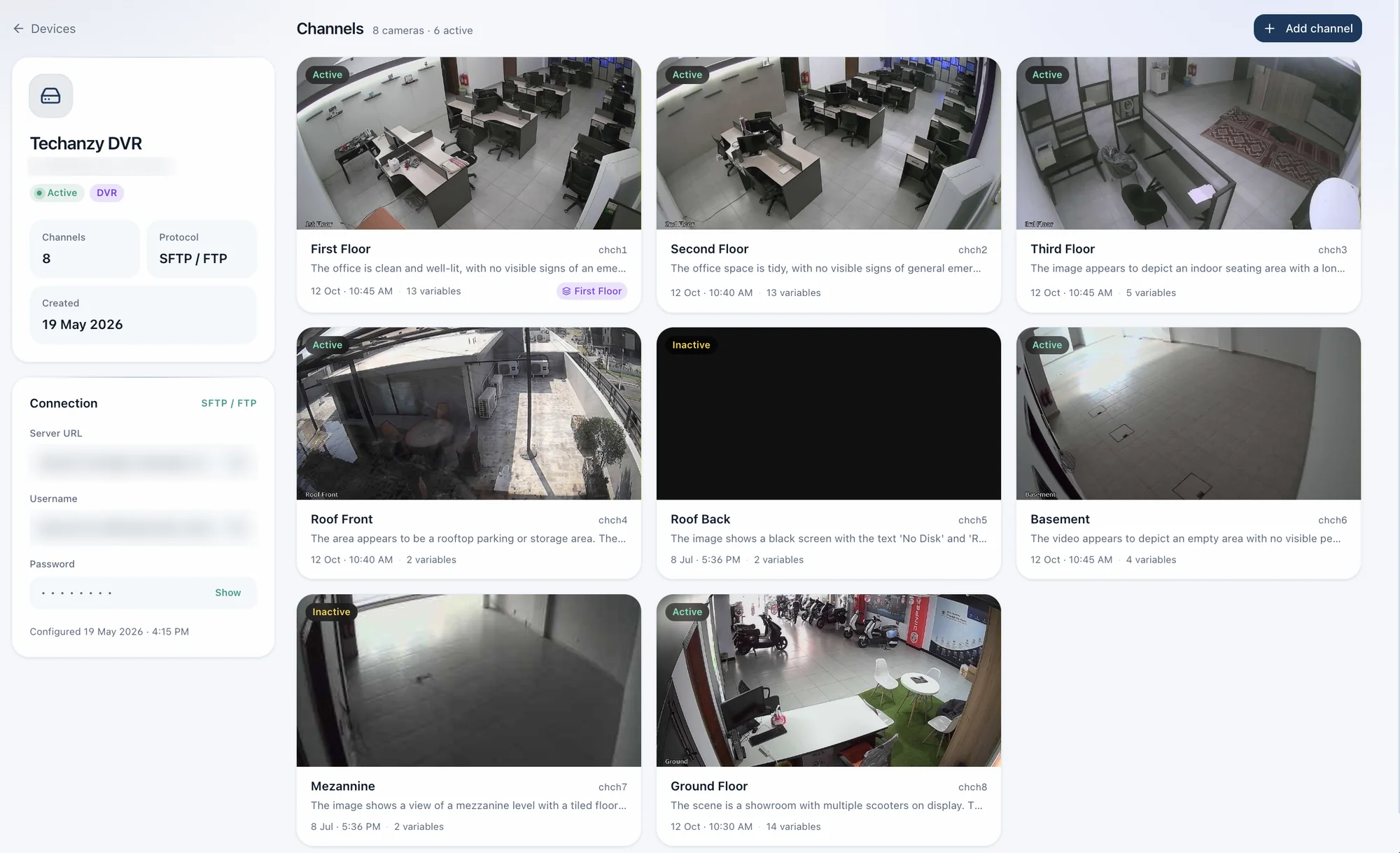
- A plain-language summary of the scene
- A typed value for every variable
- Full history: timestamps, status, frame and values
- Unchanged scenes reuse the last answer; failures retry automatically
Insights
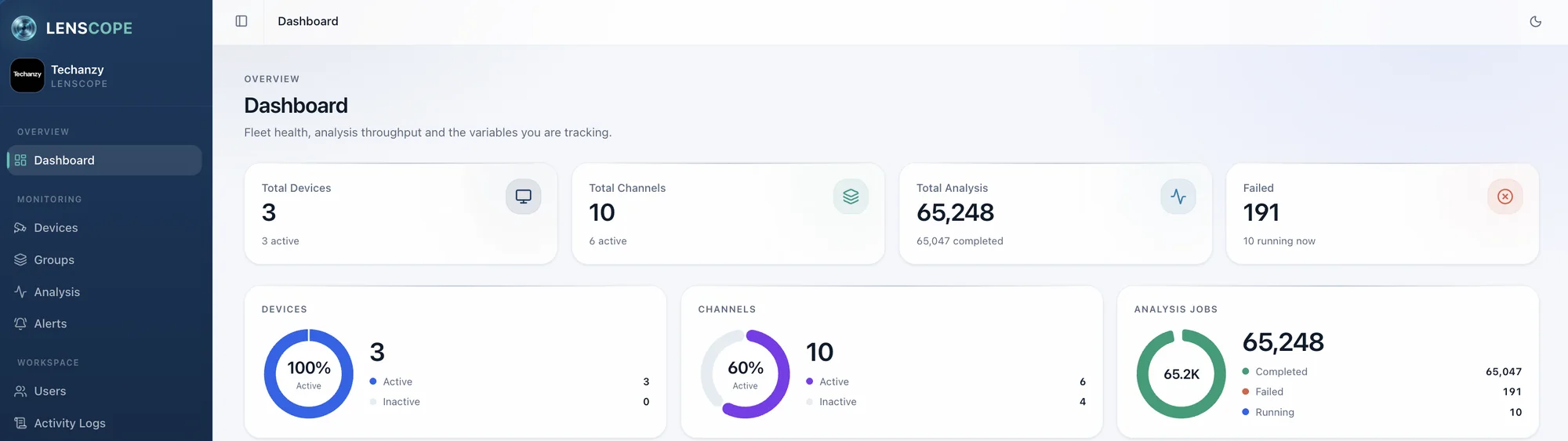
Answers turn into trends you can act on
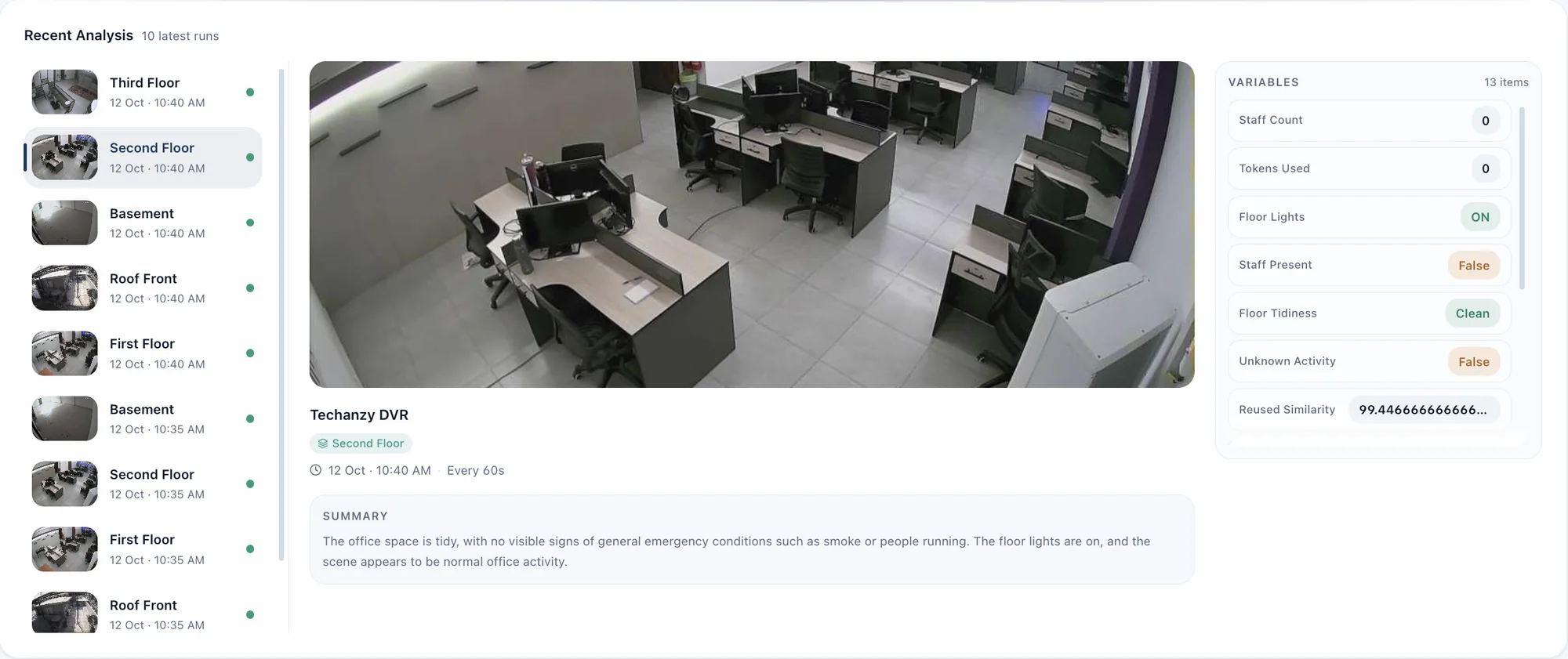
22
custom variables tracked across 10 cameras in our internal pilot
- Yes/no questions report a true rate; numbers and percentages report latest and average.
- Trend lines per variable, filtered by device, camera and period.
- Every value, run and trend is also available through the REST API.
People counting
Count people in and out at every doorway
- Draw a counting line per doorway; it survives resolution changes
- Detection and tracking follow each person across frames
- Outputs In, Out and Net, plus an MP4 with every crossing drawn on it
- Runs separately from the AI questions, so counting never waits
Smart analysis
Near real-time, without wasted compute
30s
Fastest interval
Analyse each camera every 30 seconds, or every 1, 5 or 15 minutes, with the interval set per camera.
98%
Change detection
Each new frame is compared with the last one analysed. At 98% similarity the previous answer is reused and no AI call is made.
0
Calls off-schedule
Analysis runs only on the days and hours you set, in your organisation time zone. Outside them, nothing is processed.
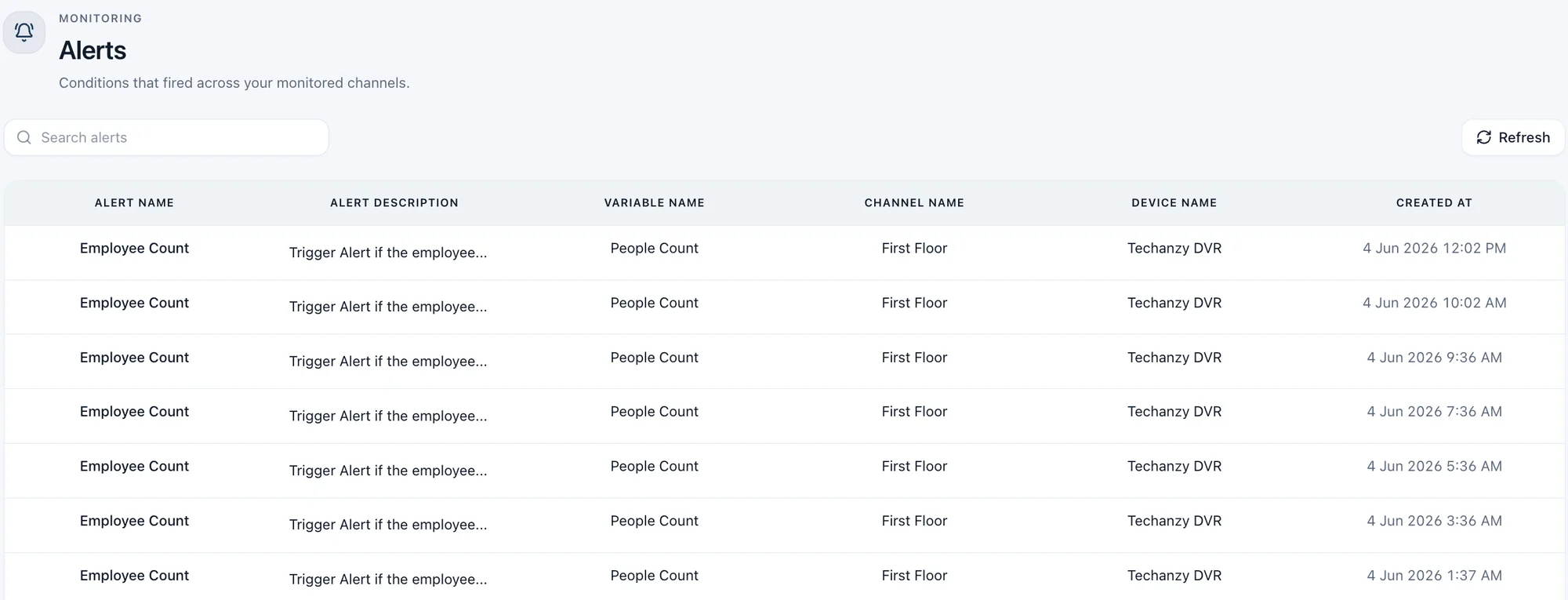
Alerts
Know the moment a threshold is crossed
- Rules on any variable: =, ≠, >, ≥, <, ≤
- Every run is checked; the email names the camera, value and condition
- Full history, filterable by rule or variable
- Switch rules on or off at any time
Use cases by industry
The questions your sites need answered
Manufacturing
Safety, leakage prevention and compliance
- Is everyone in the zone wearing PPE?
- Is there a visible spill or leak on the floor?
- Are the fire exits clear?
Alert: spill detected, email maintenance
Retail
Opening times, punctuality, crowds and staff presence
- Is the shop open with shutters up?
- Is a staff member at the counter?
- How crowded is the store right now?
Alert: shop not open on time, email the area manager
Hospitality
Compliance and hygiene
- Is the lobby clean and tidy?
- Are staff in uniform?
- Is the reception desk staffed?
Alert: reception unattended, email the duty manager
Restaurants
Hygiene, kitchen compliance and use of space
- Are kitchen staff wearing hairnets and gloves?
- Are surfaces and floors clean?
- How many tables are occupied?
Alert: hairnets missing in the kitchen, email the head chef
Where it fits
One platform, many questions
Retail and stores
Queues, footfall and empty shelves
- queue_length
- checkout_open
- shelf_empty
Alert: queue longer than 5, email the store manager
Traffic and highways
Vehicle volume, congestion and stopped vehicles
- vehicle_count
- congestion_level
- stopped_vehicle
Alert: stopped vehicle detected, notify operations
Warehouses and factories
Safety zones, PPE and site activity
- ppe_compliant
- forklift_present
- gate_open
Alert: anyone in a restricted zone after hours
Banks and campuses
After-hours activity and perimeters
- person_present
- after_hours_activity
- suspicious_activity
Alert: person present outside opening hours
Fire hazard safety
Complements certified fire alarms.
Is there visible smoke or flame?
Are fire exits and extinguishers unobstructed?
Is anything stored next to heaters or electrical panels?
Built for teams
Many sites, many users, one view
Roles
Owner, Admin and Read-only access, with every organisation fully isolated from the others.
Groups
Organise cameras across devices and sites, such as “All entrances”.
Security
Two-factor login and an audit log of every user, device or camera change.
Deployed in your environment
Runs on your infrastructure
Your network
Cameras and DVRs
Push snapshots and clips over FTP or SFTP
Secure ingestion
An isolated upload account for every device
Processing
Change detection, self-hosted vision AI and people counting
Results
Database, dashboards, email alerts and REST API
Vision AI on a self-hosted model inside your environment
Your retention policy for stored frames and results
Full REST API with documentation for integration
Containerised deployment with automated backups and monitoring
Rollout
From first camera to first alert
Add the device
Register your DVR or IP camera. Upload credentials are created instantly.
Point the DVR at Lenscope
Enter the credentials in the DVR’s FTP upload settings. Any FTP/SFTP-capable DVR or IP camera works.
Add channels
Match each camera to its upload folder. Frames start arriving.
Write the questions
Describe each camera’s view and attach your variables.
Set the schedule
Choose the interval and the days and hours that matter.
Create alerts
Set thresholds and who gets the email.
Invite the team
Add Owners, Admins and Read-only users. In-app and API docs for your team.
Live
Dashboards fill, trends build and alerts fire. Minutes per camera, not weeks.
Next step
See Lenscope on your cameras
Book a demo and we’ll walk through how Lenscope fits your sites, your cameras and the questions you need answered.
Built by Techanzy · London · Lahore · Dubai


Lenscope is built by Techanzy. Your AI-native technology partner.
We design, build, deploy and support Lenscope for every customer site, with 50+ engineers across London, Lahore and Dubai and projects delivered in 15+ countries.

ISO/IEC 27001
Information security
Audited controls for access, encryption and incident response.

ISO/IEC 42001
AI management system
Governance, human oversight and evaluation of the AI we build.

ISO 9001
Quality management
Certified process for scoping, delivery and client feedback.